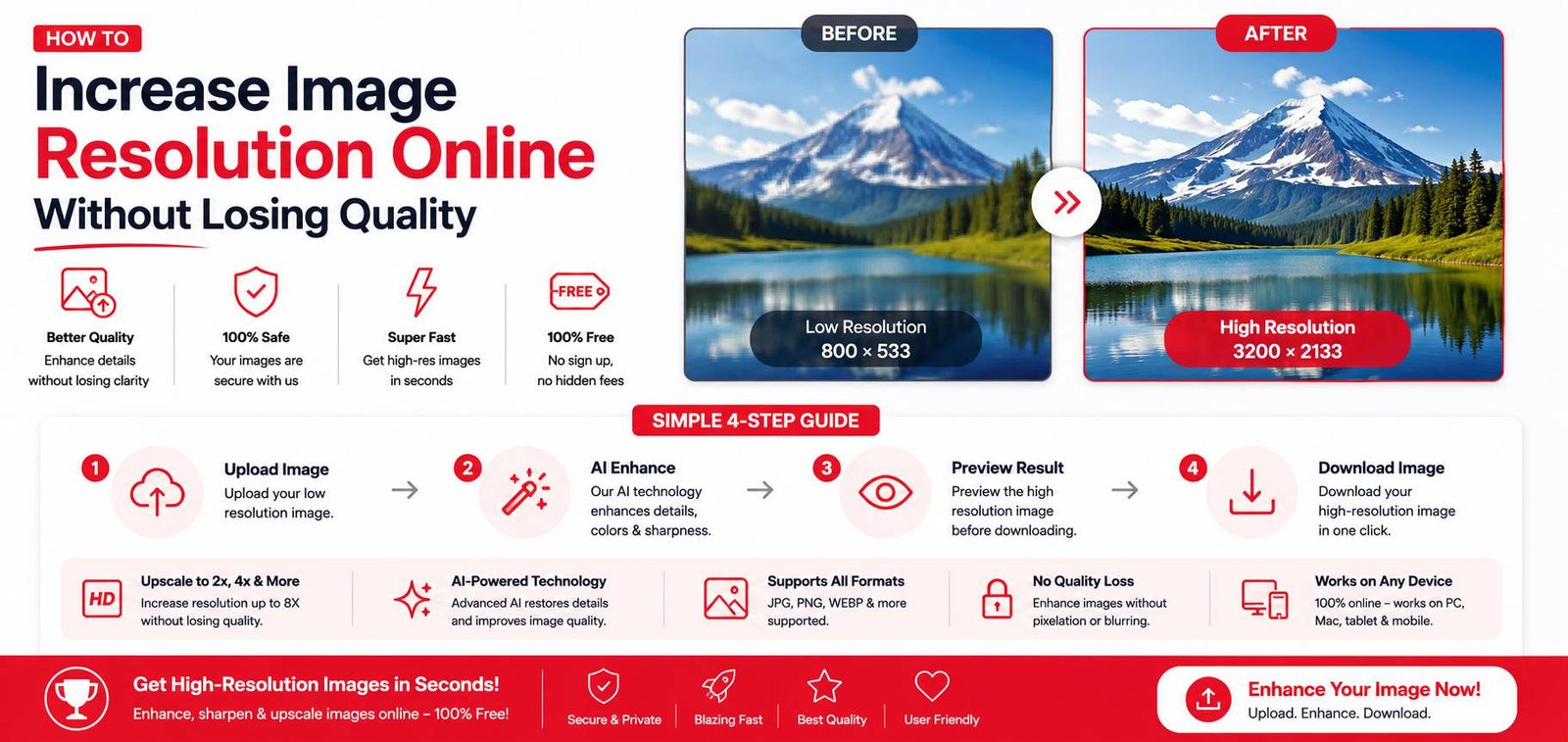
How to Increase Image Resolution Online Without Losing Quality
A low-resolution image looks fine at a small size but turns blurry and pixelated the moment you try to print it, zoom in, or use it in a larger design. Traditionally, there wasn’t much you could do — resizing a small image up just stretched the existing pixels, making it blurrier, not sharper. AI-powered upscaling tools have changed that, generating genuinely new detail rather than just stretching what’s already there.
Why Enlarging an Image Used to Make It Worse
A digital image is made of a fixed number of pixels. When you resize an image to be larger using traditional methods, the software has to “fill in” the new space by guessing colors between existing pixels — a process called interpolation. This makes the image physically larger but doesn’t add any real detail, resulting in a soft, blurry look, especially noticeable around edges and text.
How AI Upscaling Actually Works
Modern AI upscalers use models trained on millions of image pairs (low-resolution and high-resolution versions of the same content) to learn what fine detail typically looks like. Instead of just stretching pixels, the AI predicts and generates plausible new detail — sharper edges, more defined textures — based on patterns it learned during training. This is why AI-upscaled images look noticeably sharper than a simple resize, especially at 2x or 4x enlargement.
Step-by-Step: Upscaling an Image Online
- Upload your low-resolution image to an AI upscaler tool
- Choose your upscale factor (commonly 2x or 4x the original resolution)
- Wait for the AI to process — this typically takes a few seconds to a minute depending on image size
- Download the enhanced, higher-resolution version
What Upscaling Can and Can’t Fix
Upscaling works well for:
- Old or small photos you want to print at a larger size
- Product photos that need to be sharper for an e-commerce listing
- Profile pictures or logos that are pixelated at their current size
- Preparing a lower-resolution image for use in a poster or banner
Upscaling has limits with:
- Extremely blurry or heavily compressed source images — the AI can sharpen detail, but it can’t recover information that was completely lost due to severe blur or motion
- Very small source images enlarged dramatically (e.g., 10x) — there’s a practical ceiling to how much realistic detail can be generated before results start looking artificial
Upscaling vs. Simple Resizing: What’s the Difference?
A regular resize tool just changes the pixel dimensions using interpolation, which is fast but doesn’t add real sharpness — fine for making an image slightly smaller, but poor for making it significantly larger. An AI upscaler is specifically built to add detail during enlargement, making it the right choice whenever you’re increasing resolution rather than decreasing it.
Practical Use Cases
- E-commerce: Upscaling product photos that were only supplied at a small resolution by a supplier, so they look sharp on a store listing
- Printing old photos: Enlarging an old family photo that was originally scanned at low resolution, so it prints clearly at a larger size
- Social media: Sharpening a slightly blurry photo before posting, especially useful for profile pictures that get cropped into a small circle
- Design work: Enlarging a low-resolution logo or graphic that a client provided, when the original high-resolution file isn’t available
Tips for Best Upscaling Results
- Start with the best quality source image available — even a small image with good original clarity upscales better than a low-quality one at the same size
- Avoid upscaling an already-upscaled image repeatedly, since each pass compounds any artificial-looking artifacts
- For faces specifically, some tools offer a dedicated “face enhance” mode that focuses extra detail recovery on facial features, which general upscaling sometimes handles less precisely
Final Thoughts
AI upscaling has made it genuinely possible to enlarge an image while improving clarity, rather than just making a blurry photo bigger. It works best on reasonably clear source images pushed to 2x-4x their original size, and it’s become a practical free solution for print preparation, e-commerce photos, and rescuing old low-resolution images — something that used to require expensive specialized software.