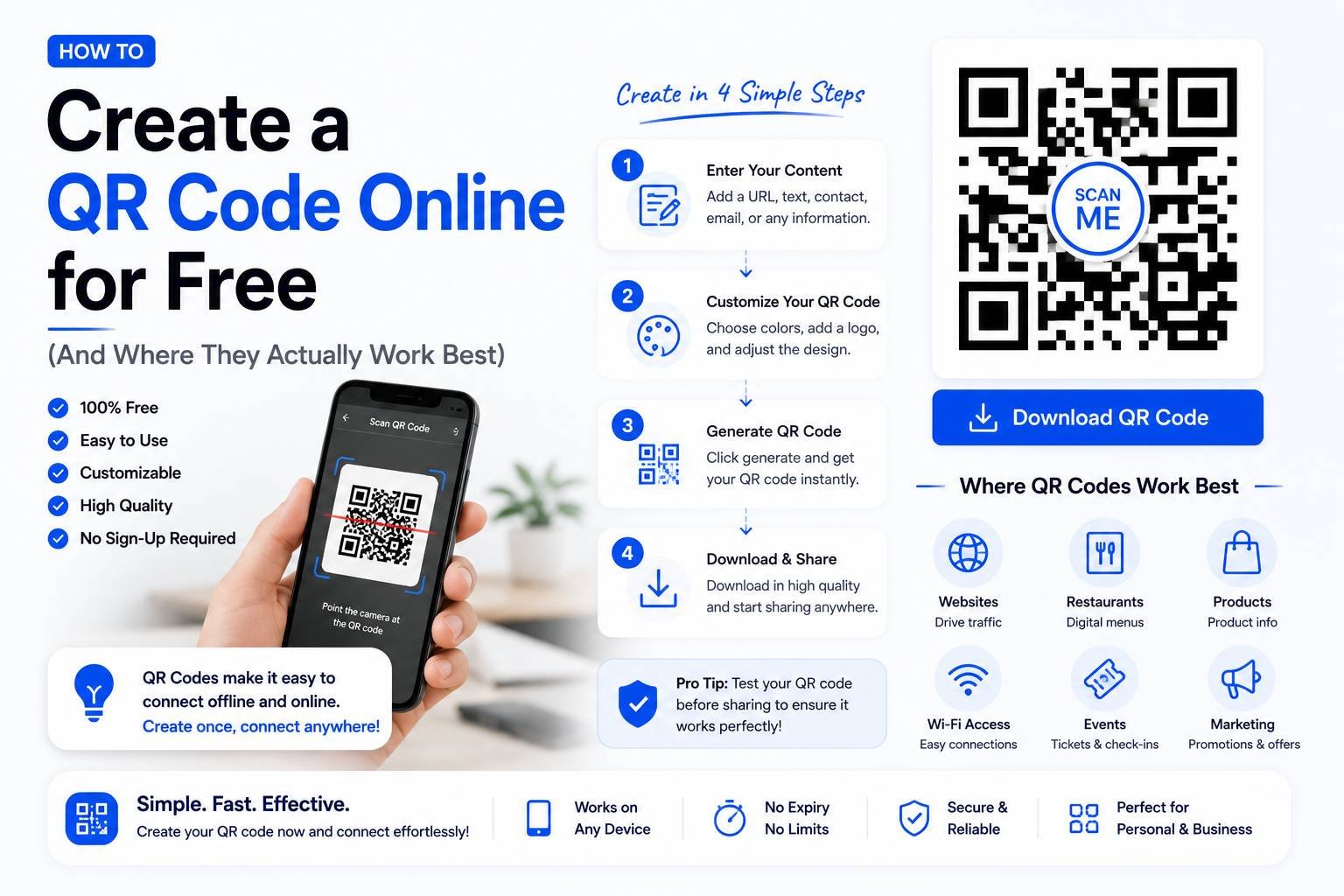
How to Create a QR Code Online for Free (And Where They Actually Work Best)
QR codes went from a niche marketing gimmick to an everyday tool almost overnight — restaurant menus, payment links, business cards, event check-ins, and product packaging all use them now. Creating one is free and takes under a minute, but a surprising number of QR codes people generate don’t actually work well because of a few avoidable mistakes. Here’s how to make one properly.
What a QR Code Actually Does
A QR (Quick Response) code is just a visual way of encoding data — usually a URL, but also text, contact details, Wi-Fi credentials, or payment information — into a scannable square pattern. When someone scans it with a phone camera, the encoded data is instantly decoded and acted on, whether that means opening a website, saving a contact, or connecting to a Wi-Fi network.
Common Types of QR Codes
- URL QR code – Opens a specific website when scanned; the most common type, used for menus, promotions, and portfolios
- Text QR code – Displays a block of plain text directly, without opening any app or link
- Contact (vCard) QR code – Saves a contact directly to the scanner’s phone, commonly used on business cards
- Wi-Fi QR code – Automatically connects a phone to a Wi-Fi network without manually typing the password, popular in cafes and offices
- Payment QR code – Links to a specific payment address or amount, widely used for mobile payment apps
Step-by-Step: Creating a QR Code
- Choose the type of QR code you need (URL, text, Wi-Fi, contact, etc.)
- Enter the relevant information — a link, text, or contact details
- Customize appearance if the tool allows it (color, adding a logo in the center)
- Generate and download the QR code image, usually as a PNG or SVG file
Why Some QR Codes Fail to Scan
A frustrating number of QR codes don’t scan properly, and it usually comes down to one of these issues:
- Too small when printed — a QR code that looks fine on screen can become unreadable once printed at a tiny size on a flyer or product label
- Low contrast — a QR code printed in light gray on a white background, or a color combination with poor contrast, is harder for phone cameras to read
- Overly customized design — adding a logo or heavy styling without testing the result can break the code’s scannability if it obscures too much of the pattern
- No quiet zone — QR codes need a small margin of blank space around them; cropping too tightly can prevent proper scanning
Best Practices for QR Codes That Actually Work
- Test before printing or publishing — scan the code yourself with multiple phones before finalizing a design that will be printed at scale
- Keep it reasonably sized — as a general rule, a QR code should be at least 2×2 cm when printed, larger if it will be scanned from a distance (like a poster)
- Use high contrast colors — standard black-on-white remains the most reliably scannable combination
- Leave the surrounding margin intact — don’t crop the white border around the code
Where QR Codes Are Genuinely Useful
- Restaurant menus — replacing printed menus with a scannable digital version that’s easy to update
- Business cards – linking directly to a portfolio, LinkedIn profile, or contact vCard
- Event check-ins — scanning a ticket QR code for instant, contactless entry verification
- Product packaging — linking to instructions, warranty registration, or additional product information
- Wi-Fi sharing — letting guests connect without reading out a password character by character
Static vs. Dynamic QR Codes
Most free QR code generators create static codes — once generated, the encoded information can’t be changed, so if the linked URL changes later, the QR code becomes outdated. Some tools offer dynamic QR codes, which redirect through a short link that can be updated later without needing to reprint the QR code itself. For anything printed physically (business cards, product packaging), a dynamic QR code is generally worth using in case the destination link ever needs updating.
Final Thoughts
QR codes are one of the simplest free tools to create, but small oversights — poor contrast, too small a print size, or an over-designed layout — are the main reasons they fail in practice. Testing the finished code on a couple of different phones before publishing or printing it at scale takes less than a minute and avoids a much bigger headache later.