
Compressor Tool
Image Compressor
Compress multiple images instantly with adjustable quality. Reduce file sizes without losing visual clarity. 100% private and browser-based.
Multiple Images
Quality Control
Instant Download
100% Secure
Upload Images
Drag & drop images here or click to upload
PNG, JPG, WEBP supported — Multiple files allowed
No images uploaded yet. Drag & drop or click above to get started.
SIMPLE PROCESS
How to Compress Images
Upload Images
Select or drop multiple image files. Supports PNG, JPG, and WEBP formats in one go.
Adjust Quality
Use the slider to set your desired compression level from 10% to 100% quality.
Compress & Save
Click compress all and download each optimized image with clear size savings shown.
WHY USE THIS
Faster, Lighter & Completely Free
Faster Websites
Smaller images load quicker, improving user experience and boosting your Google ranking instantly.
Save Bandwidth
Reduce hosting costs and data usage, especially critical for mobile users and limited data plans.
100% Private
No uploads to any server. Everything is processed locally inside your browser tab securely.
VISUAL GUIDE
Compression In Action

Easy Drag & Drop
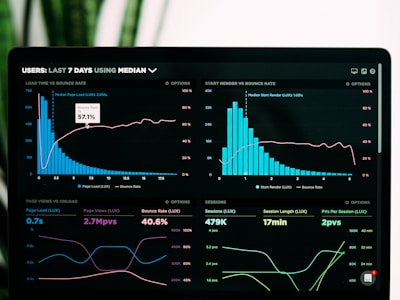
Adjust Quality Slider

See Size Savings
PRO TIPS
Optimize Like a Pro
Best Quality Setting
For web use, 60-80% quality offers the perfect balance between visual clarity and file size reduction.
Batch Processing
Upload dozens of images at once. The tool handles them all simultaneously without any server delay.
Mobile Friendly
Works perfectly on smartphones. Compress images directly from your phone gallery before sharing.
Max Resolution
Images are automatically resized to a max of 1920px, ensuring optimal dimensions for web and social.
QUESTIONS
Frequently Asked Questions
No strict limits! Since processing happens entirely in your browser, you can compress large images without any server restrictions.
You control the quality with the slider. At 70-80%, the visual difference is barely noticeable while file size drops significantly.
Absolutely not. All compression happens client-side in your browser. Your images never leave your device, ensuring complete privacy.
We support PNG, JPG, JPEG, and WEBP inputs. All outputs are optimized JPEGs for maximum compatibility and compression.
EXPLORE MORE
More Free Tools
Compress Your Images Instantly
No subscription required, zero storage, safe browser compression.